 SidebySpeak
SidebySpeak Blog
The Best Real-Time Meeting Translation Tools in 2026, Compared
Compare 11 real-time meeting translation tools for Zoom, Google Meet and Teams: extensions, bots, built-in captions and interpreters, with prices.
The best real-time meeting translation tool depends on who controls the meeting. If your company already pays for the right plan, the built-in translated captions in Zoom, Google Meet or Microsoft Teams need nothing extra. If you are a participant without those settings, a Chrome extension such as SidebySpeak, MeeLang or Translext translates the call in your own browser with no bot. If you need translated audio or one-person events, look at JotMe or Maestra, and for conferences with human interpreters, Wordly and Interprefy are built for that.
Updated October 31, 2026. Every competitor fact below comes from that company's own page or support docs, checked that day.
What is real-time meeting translation?
Real-time meeting translation turns what people say on a video call into another language while they are still talking, usually as live translated captions and sometimes as spoken audio or a human interpreter's voice.
How we evaluated
- Where it works: Zoom, Google Meet, Microsoft Teams, and whether you need the desktop app or a browser.
- Delivery type: browser extension, meeting bot or app, built-in platform feature, or human interpreters.
- Who has to set it up: you as a participant, or the host or IT admin.
- Languages as published by the vendor.
- Free plan or trial, and the starting price exactly as shown on the pricing page.
- Output: captions only, or also translated voice, transcripts and summaries.
Comparison table
| Tool | Platforms | Delivery type | Languages (vendor claim) | Free plan / trial | Starting price | Translates your speech |
|---|---|---|---|---|---|---|
| SidebySpeak | Meet, Zoom, Teams in a Chrome/Edge tab | Browser extension, no bot | 60 | Free, 20 min/month, no card | $9.99/month (600 min) | Yes: the call and your microphone (sidebyspeak.com) |
| Translext | Meet, Zoom, Teams, Webex, any app via computer audio | Chrome extension | 70+ | 30 free credits | $5 for 60 credits | Yes (microphone is a listed audio source, translext.com) |
| MeeLang | Meet, Zoom, Teams, Webex, YouTube | Chrome extension, no bot | 30+ | Free, 30 min/month | $9.99/month (600 min) | Not advertised |
| JotMe | Zoom, Teams, Meet and more | Desktop, mobile apps and Chrome extension | 200+ | Free, 20 min/month | $20/user/month (Pro) | Not advertised |
| Maestra | Zoom, Meet, Teams (Meetings plan) | Web app | Not published for the Meetings plan | Not published for real-time plans | $19/month Personal; $49/user/month Meetings | Yes (Meetings: "Two-way translation, so every speaker stays in the conversation", maestra.ai) |
| Wordly | Zoom, Teams, Meet, WebEx, Cvent and more | AI interpretation platform | "Dozens of languages" | Not published | "about $1,500 for a 10-hour package" | Yes ("Presenters can speak in dozens of languages (two-way translation)", wordly.ai) |
| Interprefy | Meetings and events | AI speech translation + human interpreters | Not published on pricing page | Not published | Custom quote | Not advertised |
| Zoom translated captions | Zoom desktop + web app | Built-in | 36 fully supported, plus limited pairs | No (host plan required) | Host on Business Plus / Enterprise tiers or Translated Captions add-on (pricing via Sales) | For others who turn it on: everyone's speech, including yours |
| Google Meet translated captions | Google Meet | Built-in | 60+ listed, rolling out | No (Workspace editions only) | Business Standard and up | For others who turn it on: everyone's speech, including yours |
| Teams live translated captions | Microsoft Teams | Built-in | 31 listed on Microsoft Support; 40 on the Teams Premium licensing page | No | Teams Premium or Microsoft 365 Copilot license | For others who turn it on: everyone's speech, including yours |
| Trippi | Meet; Zoom and Teams on the web (desktop "coming"); any Chrome tab with sound | Chrome extension, no bot; on-screen subtitle overlay | 68 language pairs | Free, 20 min/month | $10/month (10 h) | Not advertised |
The best live translation apps and extensions, one by one
1. SidebySpeak: best Chrome extension for participants on Meet, Zoom or Teams
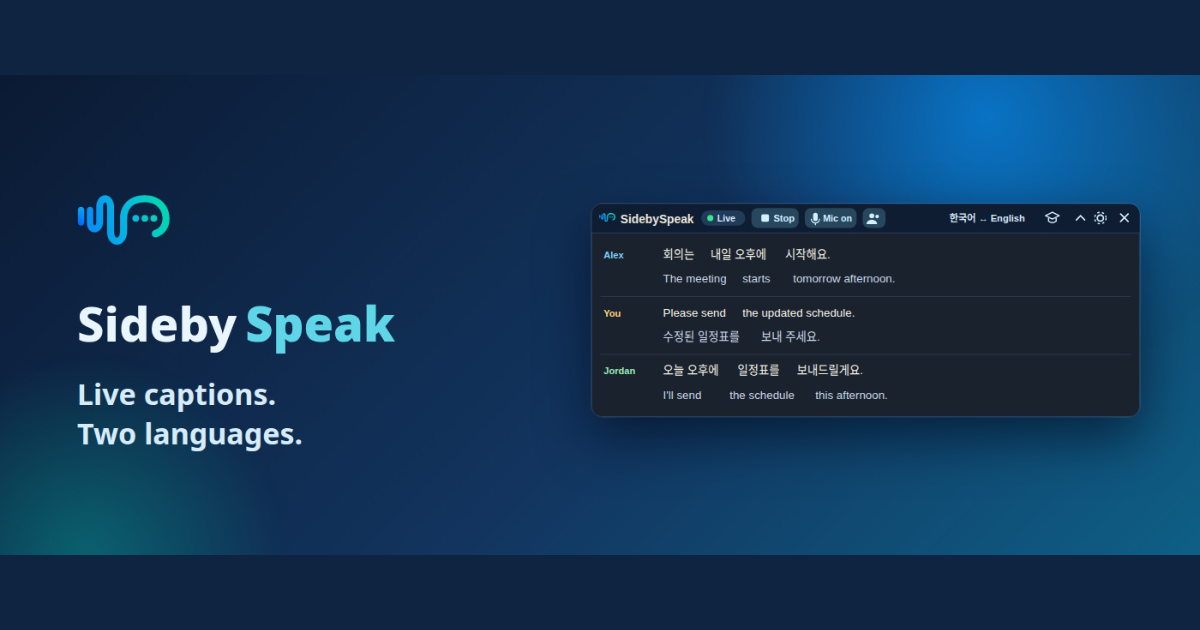
SidebySpeak is a Chrome and Edge extension that captures a meeting tab and shows two languages side by side as live captions. No meeting bot joins, and the host changes nothing (sidebyspeak.com).
- Translates what you say, too: SidebySpeak gives you "live captions for meeting audio and your microphone" (sidebyspeak.com) and "live translations of the call and your own voice" (Teams guide). You get both sides of the conversation in two languages, not just what others say. Many extensions don't advertise this.
- Best for: people who join other companies' calls and need a Google Meet translator, Zoom translator or Teams translator without asking the host.
- Pricing: Free (20 minutes/month), Basic $9.99 (600 min), Pro $19.99 (1,500 min), Power $39.99 (4,200 min) and Max $79.99 (9,600 min) per month. Team pools start at $79.99/month with no per-seat fees (pricing).
- Extras: 60 languages on every plan, local bilingual transcripts, optional AI recap by email, and Learn mode flashcards.
- Limitations: it only hears browser audio, so it cannot capture the Zoom or Teams desktop app. Its output is text only and never sends a translated voice into the meeting. Saved transcripts stay in your browser profile and are not encrypted. Live audio goes through Soniox, and AI features send text to OpenAI (transcripts).
Add SidebySpeak to Chrome and try 20 free minutes, or compare plans.
2. Translext: best for desktop meeting apps
Translext is a Chrome extension that captions a browser tab or, with "Computer audio", any app such as the Zoom or Teams desktop app. It offers spoken translation "one click away" and claims 70+ languages (translext.com).
- Best for: people who must stay in the desktop app or want to hear the translation spoken.
- Pricing: credit packs that never expire: 60 for $5, 130 for $10, 340 for $25, 720 for $50; "1 credit ≈ 1 minute". New users get 30 free credits.
- Limitations: no subscription or team plan is published. It saves text transcripts to its History unless you turn that off.
3. MeeLang: a low-cost alternative extension
MeeLang is a Chrome extension for Meet, Zoom, Teams, Webex and YouTube. It claims "<400ms subtitle latency" and 30+ languages, with no bot, and keeps transcripts locally (meelang.com).
- Best for: budget users who want a few more free minutes.
- Pricing: Free with 30 minutes/month; Pro $9.99/month for 600 minutes.
- Limitations: it lists fewer languages than SidebySpeak or Translext. Desktop-app capture is not mentioned.
4. JotMe: translation plus AI notes across desktop, mobile and browser
JotMe offers live translation, transcription, AI notes and sharing through Mac, Windows, mobile apps and a Chrome extension. It claims 200+ languages (jotme.io).
- Best for: teams that want notes and translation in one tool across many apps.
- Pricing: Free (20 min/month); Pro $20 per user/month, billed monthly (200 min); Premium $30 per user/month, billed monthly (500 min). Annually, Pro is $10 per user/month (save 50%), $120 billed annually, and Premium is $15 per user/month (save 50%), $180 billed annually (jotme.io).
- Limitations: prices are per user, and month-to-month billing costs twice the annual rate.
5. Maestra: best for spoken AI translation and live audiences
Maestra's real-time plans include Personal ($19/month, or $15 billed annually; sessions up to 15 min) and Meetings ($49/user/month, or $39 billed annually; "Zoom, Meet & Teams", 2 languages per session, sessions up to 75 min). Organizations costs $449/month and Events starts at $799/day (maestra.ai/pricing).
- Best for: webinars and events that need voice output or broadcast tools (OBS, vMix).
- Limitations: sessions have length caps, and the meetings tier costs more than the extensions.
6. Wordly: best for conferences and large events
Wordly sells AI translation, captions, transcripts and summaries, starting at "about $1,500 for a 10-hour package" used within 12 months. It works with Zoom, Teams, Meet, WebEx and Cvent (wordly.ai/pricing).
- Limitations: hour packages make it poor value for one person's weekly calls.
7. Interprefy: best when you need human interpreters
Interprefy combines AI speech translation and live captions with remote simultaneous interpretation by professional interpreters, priced by custom quote (interprefy.com/pricing).
- Limitations: no public prices, and it is set up per event rather than self-serve.
8. Zoom translated captions: best if your host already has it
Zoom translates meeting speech "in real-time to captions in another language". It needs the host account on Zoom Workplace Business Plus, Enterprise Essentials, Enterprise Plus or Enterprise Premier, or the Translated Captions add-on (pricing via Sales), with an owner or admin enabling it. Zoom lists 36 supported languages, plus some target-only or limited pairs (Zoom Support). Once it is on, each participant turns on captions and picks a language in the Zoom desktop or web app (Zoom Support).
- Limitations: the host's plan and settings decide availability; Zoom notes some regulated-industry accounts may lack access and that "Translated captions may not be accurate."
9. Google Meet translated captions
Google lists translated captions for Business Standard, Business Plus, Enterprise Standard, Enterprise Plus and Google AI Pro for Education, among other editions. The languages are "gradually rolling out" and some are in beta (Google Meet Help).
- Limitations: free Gmail accounts and lower Workspace tiers are not included.
10. Microsoft Teams live translated captions
Microsoft says translated captions are available when the organizer or individual participants have a Teams Premium or Microsoft 365 Copilot license (Microsoft Support).
- Limitations: this is a paid add-on license, and it only covers Teams.
11. Trippi: a subtitle-only alternative for listening
Trippi is a Chrome extension that captures a tab's audio, runs its own speech recognition and shows translated subtitles over the call, with an optional dual-subtitle view. No bot joins. It supports Google Meet fully, and Zoom and Teams on the web only. Its site says desktop apps are "coming via a companion app" (gettrippi.app). The Chrome Web Store listing says it's tuned for "68" language pairs (Chrome Web Store).
Pricing: the free plan gives 20 minutes a month. Billed monthly, paid plans are Lite at $10/month for 10 hours, Pro at $20 for 25 hours, Power at $40 for 70 hours and Max at $80 for 160 hours. Yearly billing offers "2 months free". Team plans, billed monthly, are Team S at $80/month for 120 hours shared by up to 5 people, Team M at $160 (250 hours, up to 15) and Team L at $320 (500 hours, up to 40); yearly billing offers "2 months free" (gettrippi.app).
- Limitations: no desktop-app support yet. Output is text only; spoken translation isn't advertised.
Who should pick what
- You are a guest on other people's calls, in the browser: SidebySpeak or MeeLang. Pick SidebySpeak if you also want your own words translated.
- You must use the desktop app or want spoken translation: Translext, or JotMe's desktop apps.
- Your company already pays for Workspace, Teams Premium or a qualifying Zoom plan: turn on the built-in captions first.
- Notes plus translation for a team: JotMe or SidebySpeak team pools.
- Events and conferences: Wordly, Maestra Organizations/Events, or Interprefy for human interpreters.
FAQ
What is the best live translation app for Zoom? If the host's Zoom plan includes translated captions, use those. If not, and you can join from the browser, a Zoom translator extension like SidebySpeak works without host setup. For the desktop app, Translext's computer-audio mode is an option.
Is there a free Google Meet translator? Yes. Meet's own translated captions need an eligible Workspace edition, but SidebySpeak (20 min/month), MeeLang (30 min/month) and JotMe (20 min/month) have free tiers.
Does Microsoft Teams translate live? Yes, with live translated captions, but Microsoft requires a Teams Premium or Microsoft 365 Copilot license. Without one, a Teams translator extension works when you join Teams in the browser.
Do these tools add a bot to my meeting? SidebySpeak, MeeLang and Translext say no bot joins. Built-in captions are native features, so they don't add one either.
Can a Chrome extension translate the Zoom desktop app? SidebySpeak cannot, because it only captures browser tabs. Translext says its "Computer audio" mode can.
Which tool is best for multilingual remote teams? For everyday internal calls, use built-in captions if your plan has them, or a shared-minute extension plan like SidebySpeak's teams pool (from $79.99/month). For large all-hands or external events, Wordly or Interprefy fit better.
Are real-time translations accurate enough for business? Accuracy varies by language pair, audio quality and accents, and no vendor here publishes independent accuracy tests that we verified. Test with your own calls first.
Which tools translate what I say, not just what others say? SidebySpeak translates your microphone as well as the meeting audio. Translext lists a microphone as an audio source, and Maestra and Wordly advertise two-way translation for speakers. The built-in Zoom, Meet and Teams translated captions translate everyone's speech, including yours, but only for participants who turn them on. MeeLang, JotMe, Interprefy and Trippi don't advertise translating your own speech on the pages we checked.
Ready to try it on your next call? Install SidebySpeak for Chrome. You get 20 free minutes every month with no card, or you can see pricing. Related: 6 Best Translation Extensions for Chrome, 5 Best Spanish English Translator Voice Tools.
Sources (all checked 2026-10-31)
- https://gettrippi.app/
- https://chromewebstore.google.com/detail/eaheoieoelghhmebennamldmjmmfppjk
- https://sidebyspeak.com/ , /pricing , /faq , /transcripts , /compare/zoom-translated-captions
- https://translext.com
- https://meelang.com
- https://www.jotme.io/pricing
- https://maestra.ai/pricing
- https://www.wordly.ai/pricing
- https://www.interprefy.com/pricing
- https://support.google.com/meet/answer/10964115
- https://support.zoom.com/hc/en/article?id=zm_kb&sysparm_article=KB0059081
- https://support.zoom.com/hc/en/article?id=zm_kb&sysparm_article=KB0060844
- https://support.microsoft.com/en-us/office/use-live-captions-in-microsoft-teams-meetings-4be2d304-f675-4b57-8347-cbd000a21260