 SidebySpeak
SidebySpeak Blog
5 Best Spanish English Translator Voice Tools in 2026
The best Spanish English translator voice tool depends on where the conversation happens. For video calls on Google Meet, Zoom or Microsoft Teams, SidebySpeak is the strongest pick. For a face-to-face...
The best Spanish English translator voice tool depends on where the conversation happens. For video calls on Google Meet, Zoom or Microsoft Teams, SidebySpeak is the strongest pick. For a face-to-face chat on your phone, Google Translate or Whisperr fits better. If you want to hear the English spoken aloud, try Maestra. If you want a zero-setup test, open JotMe. All five work in both directions, so they also cover English to Spanish.
Most voice translator pages promise instant results, but they differ on the things that decide whether a tool is usable. Some translate live and others only after you upload a file. Some speak the result and others only show text. Few work inside a call, and the free allowance ends at very different points. Spanish adds its own traps. English flattens tú, usted, ustedes and vosotros into one word, and bilingual speakers drop English words into Spanish sentences, so test any tool with your own voice and vocabulary.
This list ranks five tools by how well they fit real use: live speed, translation direction, spoken or written output, and cost. Every item follows the same layout so you can compare them quickly. SidebySpeak is our own product, so it comes first, and we say plainly where it does not fit.
1. SidebySpeak for Spanish and English meetings
SidebySpeak is the best Spanish to English voice translator for online meetings, because it captions the call audio inside your browser while no bot joins the call.
How it works
You create a free account, install the Chrome or Edge extension, sign in and press Start on a browser call. Captions come from the meeting tab and, if you switch it on, from your own microphone. Each line appears as the original speech with its translation, so you read your Spanish-speaking colleague in English and your own English reply in Spanish.
- 60 languages, with Spanish and English among them.
- Works on Google Meet, Zoom, Microsoft Teams and other browser-based call platforms.
- Transcripts can be saved, downloaded or emailed to you. Saved transcripts stay in your browser profile, and no audio recordings are stored.
- Optional Learn mode highlights matching words between speech and translation, with AI flashcards generated from your calls.
If your Spanish conversation happens on a browser call, captions that nobody has to approve beat a bot that joins the meeting.
Who it suits and what it costs
It suits professionals, freelancers, expats and language learners who spend real time on calls. It is a desktop tool for Chrome or Edge, and it shows captions rather than speaking the translation aloud. For a street conversation on your phone, pick another tool.
Every plan includes the full language catalog, transcripts and Learn mode. Tab and microphone together count as one minute of your allowance.
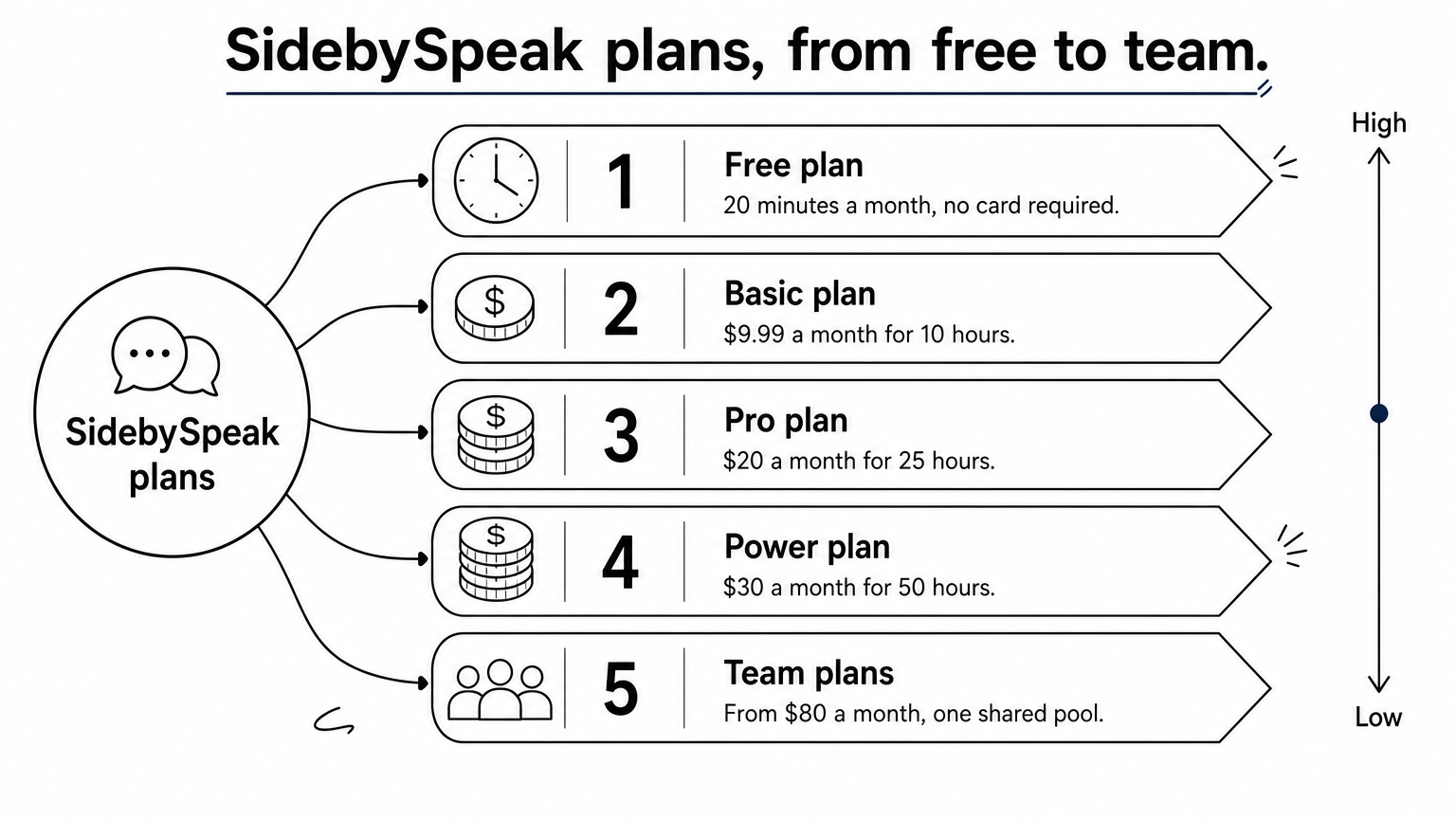
- Free: 20 minutes a month, no card required.
- Basic: $9.99 a month for 10 hours.
- Pro: $20 a month for 25 hours.
- Power: $30 a month for 50 hours.
- Team plans: from $80 a month, one shared pool, no per-seat fees.
Three 30-minute calls a week for four weeks come to 360 minutes, or 6 hours, so Basic covers it with room to spare.
2. Google Translate for quick face-to-face chats
Google Translate is the best free Spanish to English voice translator when you stand next to a Spanish speaker with your phone in hand, because Conversation mode handles both directions in one screen.
How it works
Open the Translate app, choose Spanish and English, and tap the microphone. In Conversation mode, two people speak in turn and the app shows and reads out each translation. The web version at translate.google.com also takes voice input through your microphone, though it works best for a sentence at a time.
- Free, with no account needed for basic use.
- Spanish to English and English to Spanish in the same session.
- Short turns work best. Background noise and talking over each other hurt accuracy.
Google Translate is the tool you already have, and for short, polite exchanges it is often all you need.
Who it suits and what it costs
It suits travelers, quick errands and simple questions. It is not built for an hour-long meeting, because you must pause between turns and you get no meeting transcript. Use it for ordering, directions and short phone-to-person talk. The core features cost nothing.
3. Maestra for hearing English spoken aloud
Maestra is the pick when you want to hear the translation rather than read it, because its live tool plays the English as a synthetic voice while the other person speaks.

How it works
You open the live page, set Spanish as the source and speak. Maestra offers two-way translation, automatic recognition of regional Spanish accents and a choice of more than 260 English voices. Setting Spanish manually instead of auto-detect keeps embedded English words from being translated twice.
- A custom dictionary keeps names and jargon consistent through a session.
- A share link lets others follow the translated audio in their own browser.
- Saved sessions open in an editor where each segment links to its audio timestamp.
Reading a translation keeps you in control, but hearing it lets you keep your eyes on the person you are talking to.
Who it suits and what it costs
It suits webinars, events and support teams that need audio output and a shareable session. It is free to start with no account. Caption integrations for Zoom, Microsoft Teams, Google Meet, OBS and vMix need a subscription for live use, so check its current plans before you commit.
4. Whisperr for fast two-way phone conversations
Whisperr is the best phone-first Spanish to English voice translator for a natural back-and-forth, because it detects which language you speak and translates into the other one automatically.

How it works
Open the app and speak Spanish or English. Whisperr reports an average latency of about 0.2 seconds, which keeps the pace of a real conversation. You can read each line on screen or switch on Speech Mode to hear it spoken. One phone shared between two people is enough.
- Native apps for iOS, iPad, Mac, Windows and Android, plus a web app and a Chrome extension.
- Handles Latin American and Castilian Spanish and casual, fast speech.
- Broadcast Mode shares a room link so others read the translation in a browser.
Auto-detect removes the most annoying step of two-way translation: tapping a language button every time someone speaks.
Who it suits and what it costs
It suits travelers, family calls and mixed-language visits where a phone is the only device. You can start free, and the web demo needs no sign-up. Check its pricing page for paid limits, since they change.
5. JotMe for a no-signup browser test
JotMe is the fastest way to test a Spanish to English voice translator, because you open the page, allow your microphone and start talking with no installation or account.
How it works
Check that the language pair reads Spanish to English, click Start and speak. JotMe shows the original transcript and the English translation together and refines the translation as context builds. Its pages mention uses such as meetings, classes, calls and interviews, and you can keep the transcript as a record.
- Runs in your browser with your microphone.
- Flip the language selectors to translate English to Spanish.
- Output is text on screen.
A free browser test takes two minutes and tells you more about accuracy than any feature list.
Who it suits and what it costs
It suits people who want to try live translation before choosing a tool, or who need a one-off translation without installing anything. It is free to try. The demo shows a countdown timer, so confirm the session length before you rely on it for a long call.
Which voice translator to pick
Match the tool to the situation. Use Google Translate or Whisperr when you speak in person on a phone, Maestra when you want spoken English output, and JotMe for a quick test. For Spanish and English video calls, SidebySpeak gives you live captions, a saved transcript and no bot in the meeting.
Run the same 30 seconds of your own speech through two tools before you decide. That test shows how each one handles your accent, your vocabulary and any English words you mix in. If your work happens on browser calls, you can try SidebySpeak free for 20 minutes a month with no card, and see how it handles a real conversation.