 SidebySpeak
 Blog
Spanish Interpreter App: 5 Free and Paid Picks Compared
The best Spanish interpreter app depends on where you will use it. For free English-Spanish voice conversation on your phone, Google Translate is the safest first download, and Apple Translate is the...
The best Spanish interpreter app depends on where you will use it. For free English-Spanish voice conversation on your phone, Google Translate is the safest first download, and Apple Translate is the better pick if you already own an iPhone. Microsoft Translator suits groups, iTranslate suits people who want paid extras, and SidebySpeak suits video meetings on a desktop browser.
Most people searching for this want the same thing. You need to speak English, hear Spanish, and understand the reply without fumbling with your screen. Apps differ a lot in offline use, in how they handle two people taking turns, and in what they cost once the free tier runs out.
This list covers five options, free and paid, with how each handles live speech, what it costs, and who should pick it. One disclosure first: SidebySpeak is our product, and it is a browser extension, not a phone app. We include it because many readers need Spanish interpretation on Zoom, Google Meet or Teams, and a phone held up to a laptop speaker handles that clumsily.
1. SidebySpeak
How it works
SidebySpeak is a Chrome and Edge extension that captions and translates live meeting audio without a meeting bot. You create a free account, install the extension, sign in, and press Start on a browser call. The original speech appears next to its translation.
- Works on Google Meet, Zoom, Microsoft Teams and other browser-based calls
- Captions the tab audio and, optionally, your own microphone
- Covers 60 languages, including English and Spanish
- Keeps transcripts in your browser profile, with optional Learn mode and flashcards
Nothing joins your call, so nobody on the other side has to approve a bot.
Pricing and who it suits
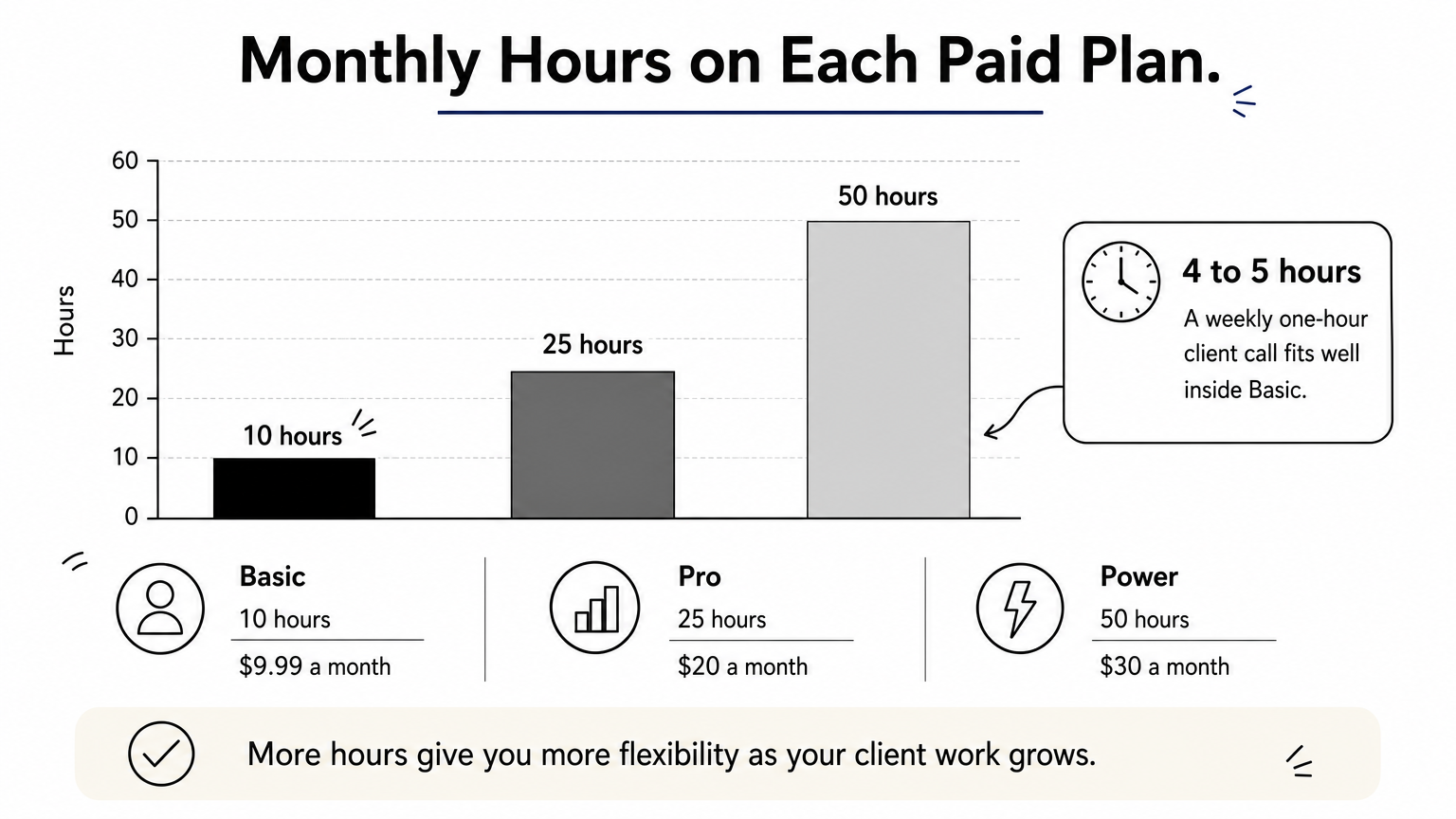
The free plan gives you 20 minutes a month with no card. Paid plans are Basic at $9.99 a month for 10 hours, Pro at $20 for 25 hours, and Power at $30 for 50 hours. Every plan has the full language list, tab and mic captions, and transcripts. A weekly one-hour client call uses roughly 4 to 5 hours a month, well inside Basic. Team plans start at $80 a month and share one pool of minutes with no per-seat fees.
It suits professionals, freelancers and remote workers who join Spanish-language meetings on a computer. Skip it if you need to talk to someone face to face, because it is a desktop browser extension, not a phone app.
2. Google Translate
How it works
Google Translate is the free default, and its Conversation mode is the nearest thing most phones have to a pocket interpreter. You pick English and Spanish, tap the microphone, and each person speaks in turn while the app shows and reads out the translation.
- Conversation mode for two-way speech
- Camera translation for menus and signs
- Downloadable Spanish for offline use
- Available on Android and iPhone
For quick, free, two-person conversation, start here and switch only if something bothers you.
Pricing and who it suits
The app is free on Android and iPhone, with no paid tier to manage. That makes it the obvious answer when you search for a free interpreter app or a live Spanish to English translation app and just want something working in a minute.
Accuracy is good for everyday Spanish, but fast speech, slang and regional phrases can trip it up. For medical, legal or immigration situations, use a qualified human interpreter instead. It suits travelers, students and anyone who wants the lowest-effort option on either platform.
3. Microsoft Translator
How it works
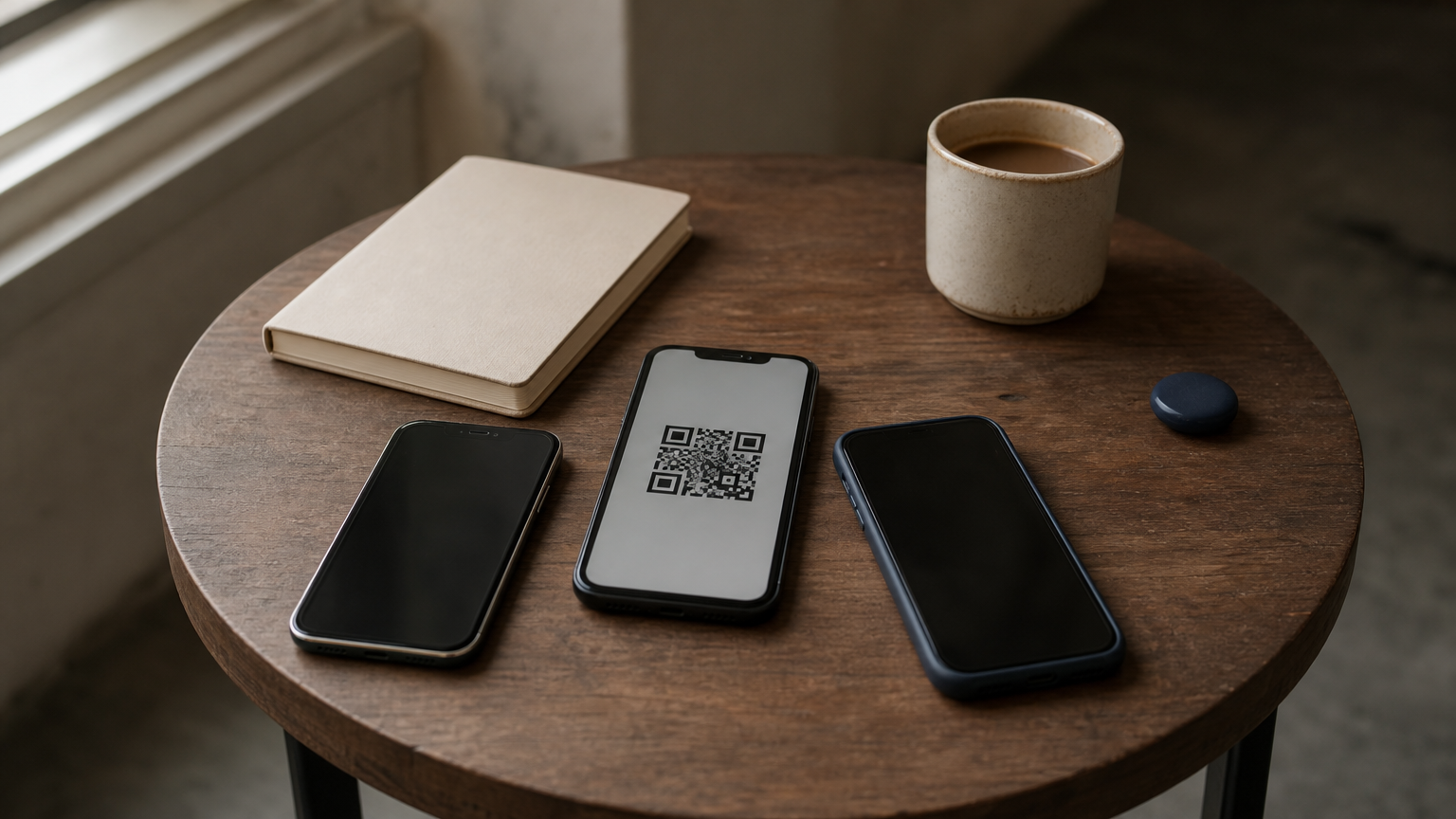
Microsoft Translator turns a conversation into a shared session. One person starts it, the others join with a code or QR scan on their own phones, and each reads or hears the translation in their chosen language. You can also download language packs for offline use.
- Multi-device conversations for more than two people
- Each participant picks their own language
- Offline language packs
- Available on iOS and Android
This is the app to choose when more than two people share the conversation.
Pricing and who it suits
The app is free on iOS and Android. Setup takes more steps than Google Translate for a simple two-person chat, so it is slower when you just want to ask a neighbor a question.
It earns its place in group settings, such as a classroom, a family gathering with English and Spanish speakers, or a small team huddle. Everyone follows along on their own screen instead of passing one phone around, which makes it a strong real-time translator app for groups at no cost.
4. Apple Translate
How it works
Apple Translate is built into iPhone and iPad, so there is nothing to install. Its Conversation view lets you speak in English or Spanish and see the translation on screen. A face-to-face layout turns one half of the display toward the other person.
- Preinstalled on current iPhones and iPads
- Conversation view for two speakers
- Spanish can be downloaded for on-device translation
- iPhone and iPad only, with no Android version
If you own an iPhone, this is the fastest English-Spanish voice translator to open.
Pricing and who it suits
Apple Translate is free. Download Spanish once on Wi-Fi and it keeps working in airplane mode or on a weak signal, which matters when you travel.
It suits iPhone owners who want a simple voice translator for Spanish to English and back without adding another app. Android users cannot get it, and it offers fewer extras than the other options here. If you need group sessions or meeting captions, pair it with one of the tools above.
5. iTranslate
How it works
iTranslate is a long-running translation app with a voice conversation mode for English and Spanish, plus text translation. You speak, it translates, and your partner replies in turn. The interface is built around speaking rather than typing.
- Voice and text translation
- Conversation mode for two speakers
- Available on iPhone and Android
- Subscription tier for extra features
Pay for iTranslate only after Google and Apple Translate have failed you.
Pricing and who it suits
iTranslate is freemium. The free tier is limited, and a subscription unlocks extras such as offline use. Prices and tier contents change, so check the store listing before you subscribe.
My advice is to try the free options first and pay only if you hit a specific limit. It suits people who want a paid, guided interpreter app and are willing to compare it with the free ones during a trial week.
Which app to download first
Start with the free phone apps. Google Translate works on any device, Apple Translate works offline on an iPhone, and Microsoft Translator handles groups. Add iTranslate only if you find a limit that a subscription actually fixes.
For work calls, the choice changes. A phone is the wrong tool when the Spanish speaker is on a Zoom, Meet or Teams call on your computer. There you want captions that sit beside the call, and you can try SidebySpeak free for 20 minutes a month on your next Spanish-language meeting.