 SidebySpeak
SidebySpeak Blog
Chrome Extensions That Translate Live Meeting Captions (2026)
SidebySpeak, Trippi, MeeLang, SonicMeet and Clozo all translate live meeting captions in Chrome. Here's how they compare on platforms, languages, free tiers and price.
Updated November 2026
SidebySpeak is a Chrome extension that translates live meeting captions in Google Meet, Zoom and Microsoft Teams, showing two languages side by side with no bot in the call, from free (20 minutes a month). Other extensions that translate live meeting captions include Trippi, MeeLang, SonicMeet and Clozo (Google Meet only).
What is a live caption translation extension?
A live caption translation extension is a browser add-on that listens to a meeting tab (or reads the meeting's own captions) and shows a translation on your screen as people speak, without the host changing any settings.
Comparison table
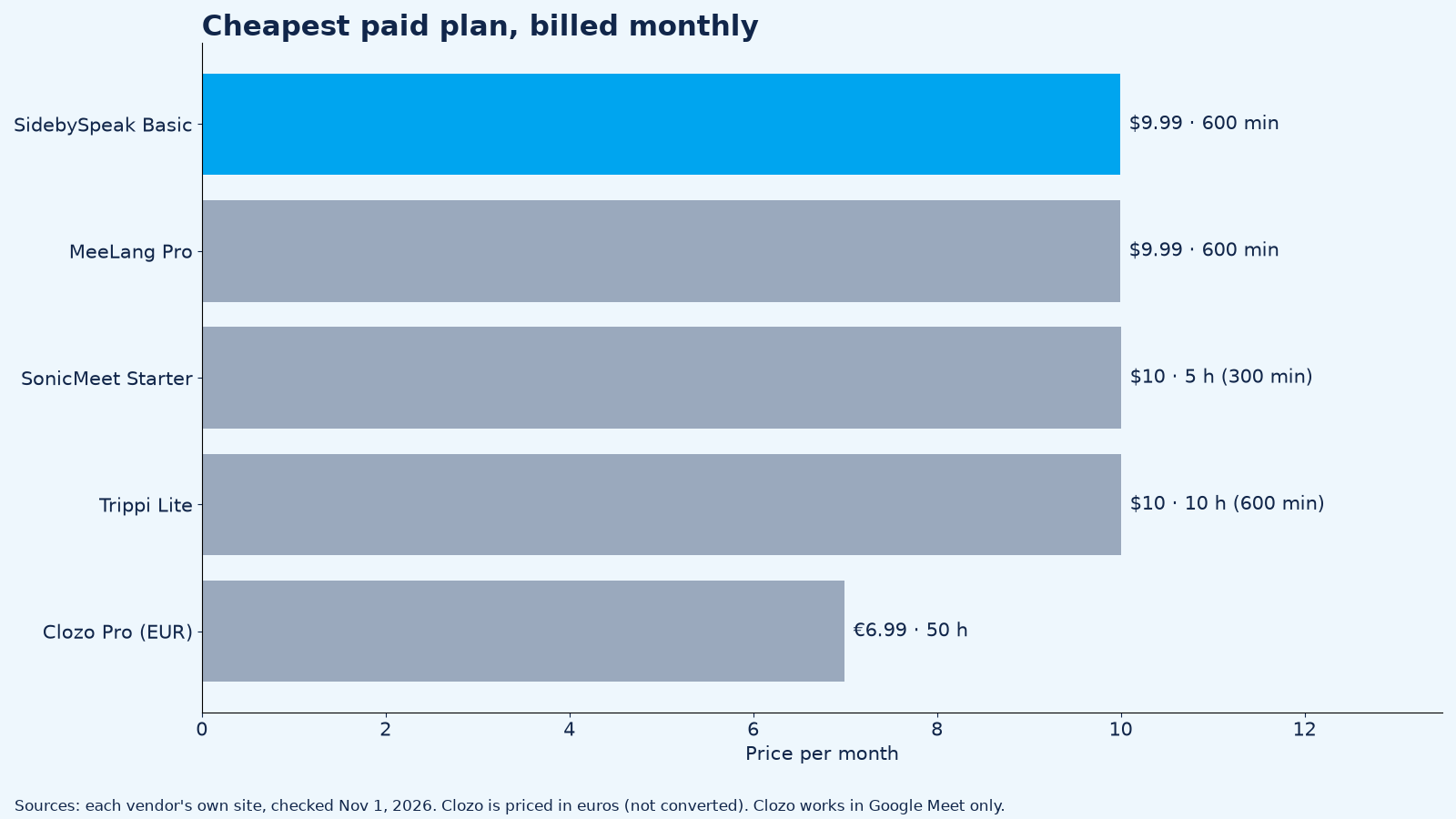
All facts from each vendor's own site, checked November 1, 2026. Prices are billed monthly.
Coverage and price
| Extension | Platforms | Languages (vendor claim) | Free tier | Cheapest paid plan (monthly) |
|---|---|---|---|---|
| SidebySpeak | Meet, Zoom, Teams in Chrome or Edge; any tab with audio | 60 | 20 min/month, no card | $9.99 (600 min) |
| Trippi | Meet, Zoom & Teams (web) | Not published on homepage | 20 min/month | $10 Lite (10 h) |
| MeeLang | Meet, Zoom (web), Teams, Webex, YouTube | 30+ | 30 min/month | $9.99 Pro (600 min) |
| SonicMeet | Meet, Zoom & Teams in Chrome/Edge; desktop app for Windows/Mac | 60+ | 20 min one-time | $10 Starter (5 h) |
| Clozo | Google Meet only | 70+ | 15 min/day | €6.99 Pro (50 h/month) |
Features
| Extension | How captions are shown | Translates your mic |
|---|---|---|
| SidebySpeak | Two languages side by side; shareable encrypted live link | Yes (optional) |
| Trippi | Subtitles over the meeting | Not advertised |
| MeeLang | Bilingual subtitles over the call | Not advertised |
| SonicMeet | Bilingual captions; share by link | Yes ("Turn on your mic and your own words are captioned too") |
| Clozo | Original and translation where Meet shows captions | Not advertised |
The extensions
1. SidebySpeak: best for two-way translation in Meet, Zoom and Teams
SidebySpeak captures the meeting tab and shows live captions in two languages side by side. It translates what you say, too: switch on your microphone and your speech is captioned and translated. The mic is optional. No bot joins your call, and the host changes nothing.
- Platforms: Google Meet, Zoom and Microsoft Teams in Chrome or Edge, plus any Chrome tab that plays audio, such as webinars and lectures.
- Languages: 60, on every plan.
- Pricing (monthly): Free 20 min; Basic $9.99 (600 min); Pro $19.99 (1,500 min); Power $39.99 (4,200 min); Max $79.99 (9,600 min); team pools from $79.99 with no per-seat fees (pricing).
- First-hand details: speaker names show when the meeting provides them; "Follow meeting mic" pauses your voice transcription when you mute, where supported; bilingual transcripts save locally as .txt or .md, or by email. Learn mode and AI recaps are off unless you turn them on. When you use them, only the caption text (never your audio) is sent to OpenAI to create the explanation or recap.
- Limit: it hears browser tabs only, so join Zoom or Teams on the web, not the desktop app.
2. Trippi
- Good for: following calls on personal accounts with subtitles over the meeting.
- Facts: "translates the call in your browser tab as people speak and shows the subtitles over the meeting. No bot joins the call." Works with Meet, Zoom & Teams (web). Free 20 min/month; billed monthly Lite $10 (10 h), Pro $20 (25 h), Power $40 (70 h), Max $80 (160 h); team plans S $80, M $160, L $320 (gettrippi.app).
3. MeeLang
- Good for: meetings plus YouTube videos and live streams.
- Facts: Chrome extension for Meet, Zoom, Teams, Webex and YouTube; "30+ languages"; bilingual transcripts stay in your browser. Free 30 min/month; Pro $9.99/month for 600 minutes (meelang.com).
4. SonicMeet
- Good for: people who also need the Zoom or Teams desktop apps.
- Facts: Chrome/Edge extension plus Windows and Mac apps; "60+ languages"; Instant and Accurate translation modes. Free 20 minutes one-time; monthly Starter $10 (5 h), Pro $20 (15 h), Power $39 (40 h), Ultra $79 (90 h) (sonicmeet.app).
5. Clozo
- Good for: Google Meet only.
- Facts: translates Google Meet's own live captions, showing original and translation with speaker names; "70+ languages"; no account. Free 15 min/day; Pro €6.99/month or €59/year for 50 hours a month (clozo.app).
How to translate live meeting captions with SidebySpeak
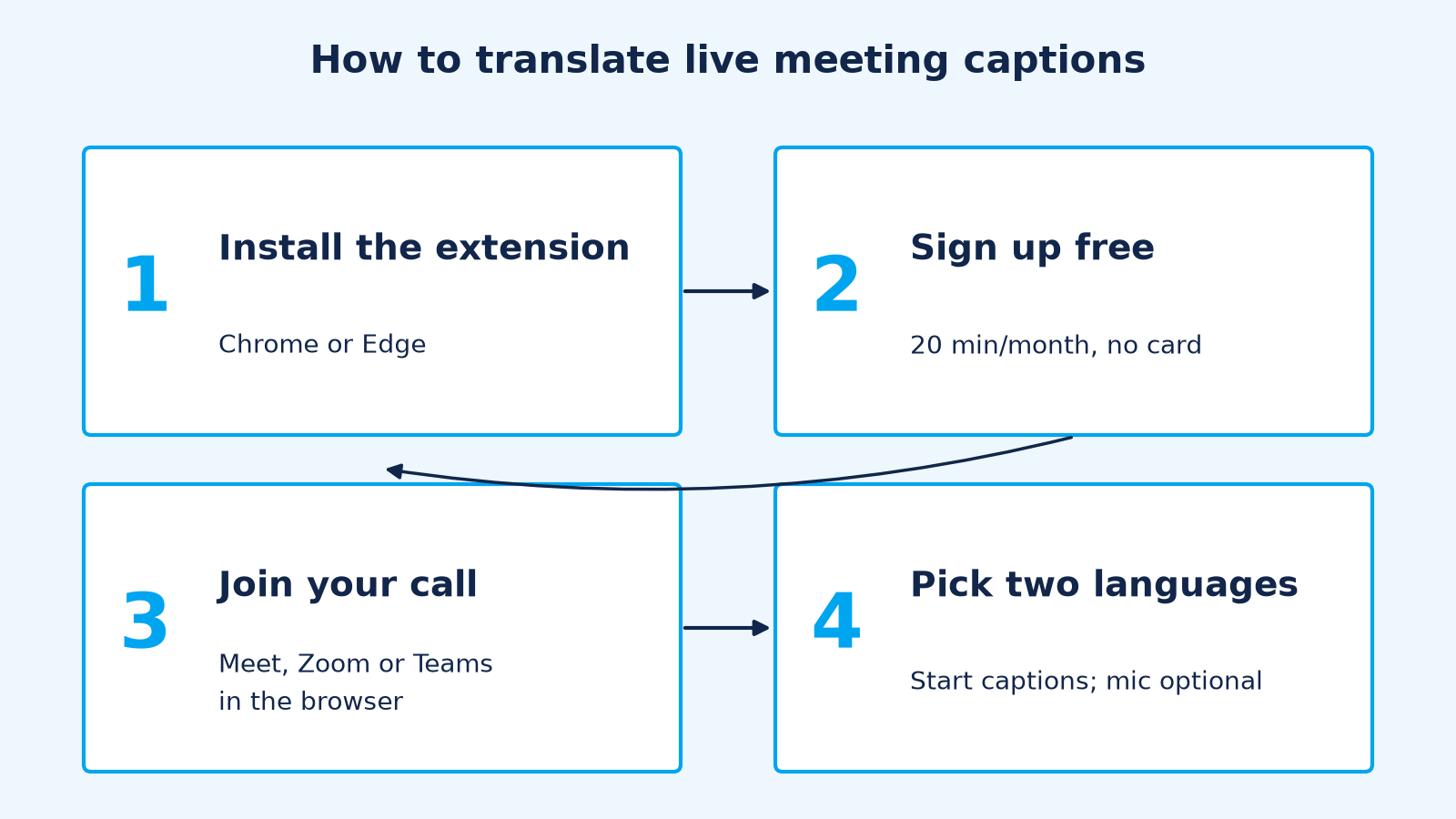
- Install SidebySpeak from the Chrome Web Store (or Edge Add-ons).
- Sign up free: 20 minutes every month, no card (sign up).
- Join your call in the browser: Google Meet, Zoom web or Teams web.
- Pick your two languages and start captions. Turn on the mic if you want your own words translated too.
Comparing more than extensions? See the best real-time meeting translation tools.
What Chrome extension translates live meeting captions?
SidebySpeak translates live meeting captions in Google Meet, Zoom and Teams in Chrome or Edge, side by side, with an optional mic so your own words are translated too. Trippi, MeeLang, SonicMeet and Clozo (Meet only) also do this.
Is there a free Chrome extension to translate Google Meet captions?
Yes. SidebySpeak's free plan includes 20 minutes every month with no card. Trippi (20 min/month), MeeLang (30 min/month) and Clozo (15 min/day, Meet only) also have free tiers.
Do these extensions work with the Zoom desktop app?
Browser extensions only hear browser tabs, so use Zoom on the web with SidebySpeak. SonicMeet offers a separate desktop app for Zoom and Teams desktop clients.
Does a bot join the meeting?
No. SidebySpeak runs in your browser and no bot or extra participant joins your call. Trippi, MeeLang, SonicMeet and Clozo also say no bot joins.
Can the extension translate what I say?
SidebySpeak can: turn on your microphone and your speech is captioned and translated. It's optional. SonicMeet also captions your mic.
Do I need Google Workspace or Teams Premium?
No. Extensions like SidebySpeak work as a participant on any account, without the host's paid translated-captions plan. See pricing.
Sources (checked November 1, 2026)
https://sidebyspeak.com/pricing · https://gettrippi.app/ · https://meelang.com/ · https://sonicmeet.app/ · https://clozo.app/